Loom has no “download all” button. aska exports every video you're allowed to download, with transcripts, captions and a spreadsheet index, neatly sorted into folders.
Built for admins moving off Loom, agencies handing work to clients, and teams that need an offline archive.
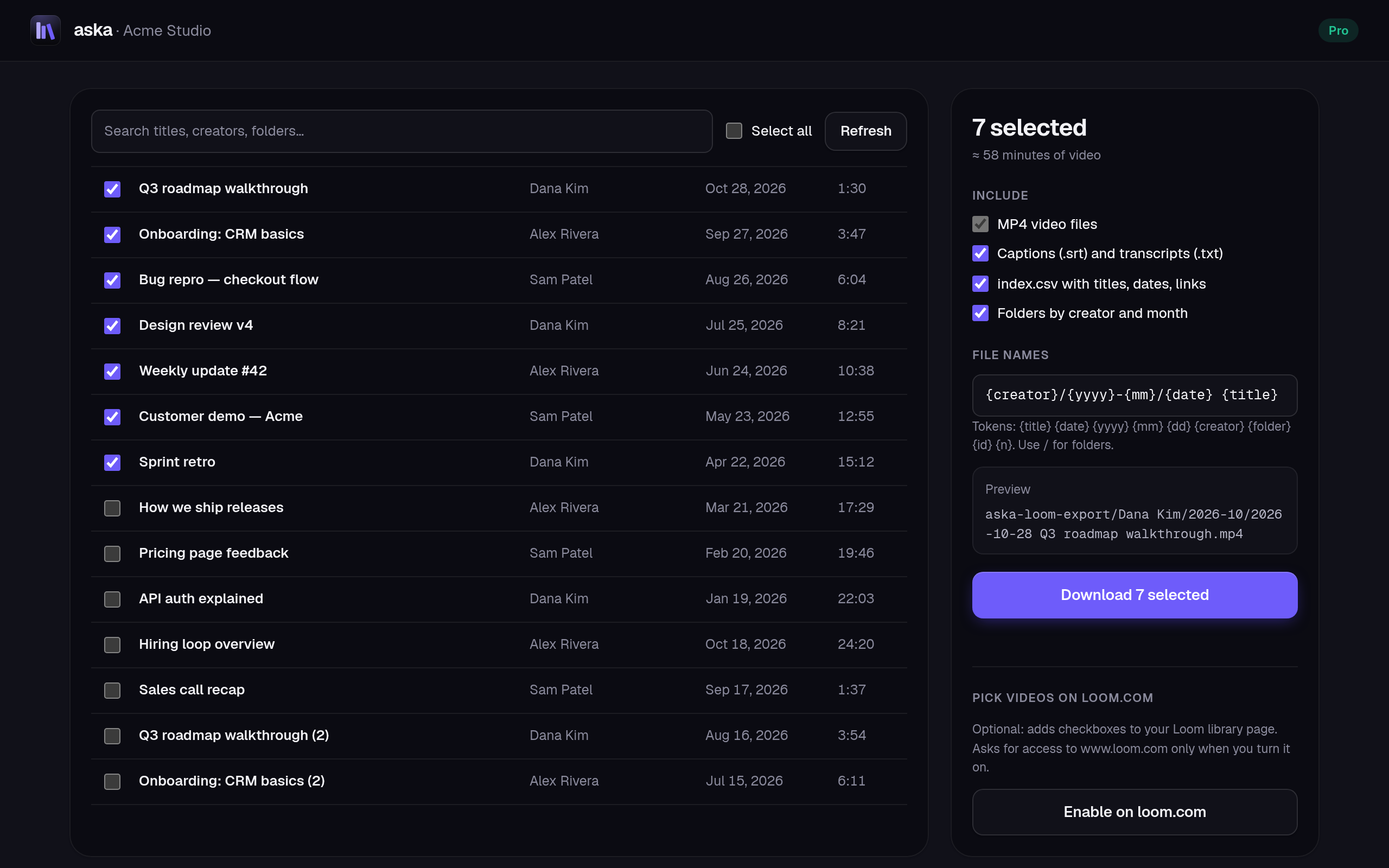
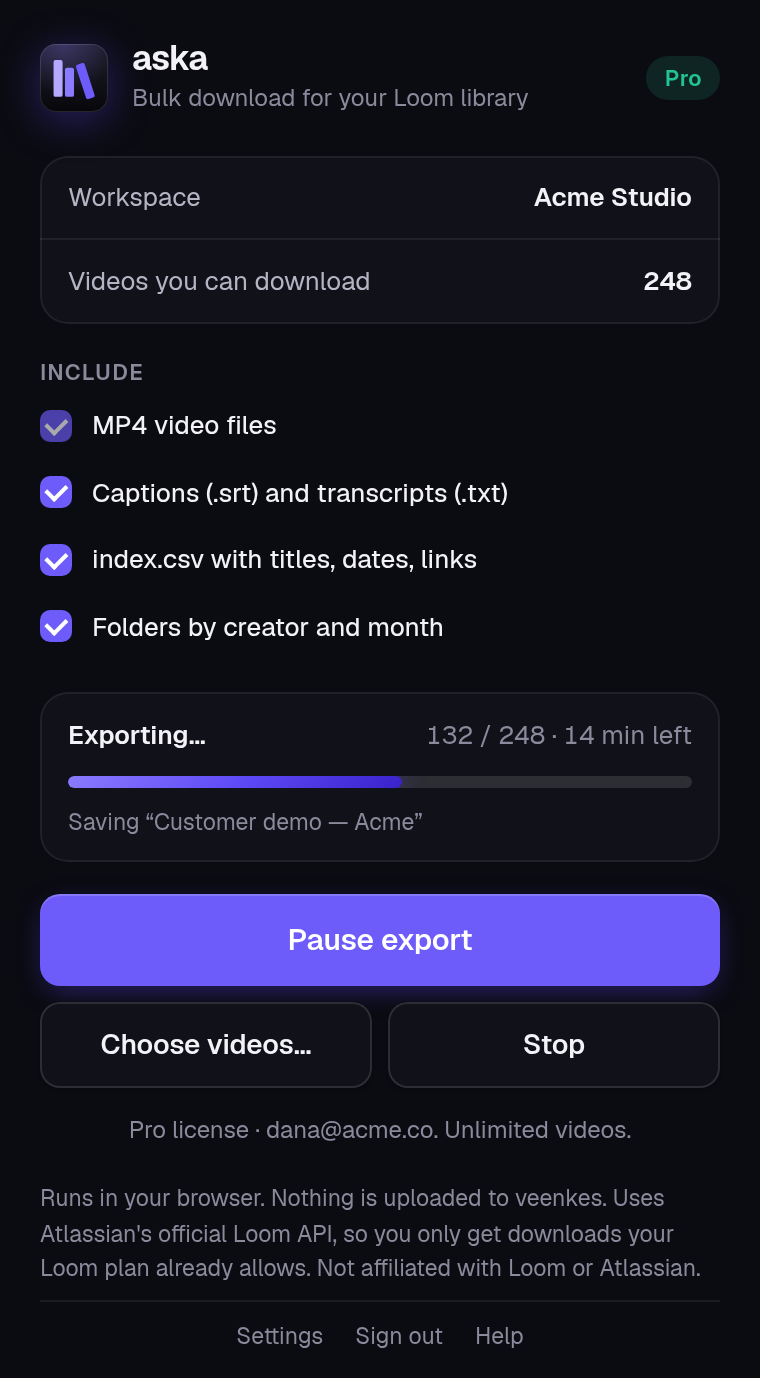
Queue hundreds of videos. Two download at a time with live progress, pause and resume. Failed items retry on their own.
A .txt transcript and .srt captions next to every video, ready for search or re-upload anywhere.
One spreadsheet with title, date, creator, folder, length, link and local file for every video.
Templates like {creator}/{yyyy}-{mm}/{title}. Safe on Windows, macOS and Linux.
Close the browser mid-export. aska resumes and never downloads a finished video twice.
No scripts, cookies or command line. Just your normal Atlassian sign-in.
Add the extension to Microsoft Edge. Chrome is next.
Approve read-only Loom access on Atlassian's own consent screen.
aska queues every video you can download and saves it to your Downloads folder.
aska talks to the Atlassian Rovo MCP server, Atlassian's documented interface for Loom. Atlassian only hands out links for videos your plan and role already let you download. No scraping, no cookies, nothing bypassed.
aska has no servers. Files go straight from Atlassian to your computer, and your sign-in token never leaves your browser. No analytics, no tracking, no copies of your videos anywhere. Read the privacy policy.
Try it on 10 videos first. 14-day money-back guarantee.
For one Loom workspace
For admins and agencies
Secure checkout and invoices by Gumroad. Prices in USD; local taxes may apply.
Not inside Loom — it downloads one video at a time. aska adds the missing “download all”: pick everything (or a folder, or a search result) and it saves each MP4 for you, with transcripts, captions and an index.csv.
aska uses Atlassian's official, documented Loom interface (the Atlassian Rovo MCP server) with your own sign-in. It never scrapes Loom's private endpoints or bypasses anything. Atlassian only hands out download links for videos your plan and role already let you download.
Business, Business+ AI and Enterprise — the plans where Loom lets you download. Loom's free Starter plan does not allow downloads, so aska can't either. Your Loom workspace must be linked to an Atlassian Cloud site (Atlassian is moving every workspace there).
Only ones Loom already lets you download — for example, workspace videos where the creator enabled downloads or where you're an admin. aska follows Loom's permissions exactly.
No. aska has no servers. Files go straight from Atlassian's CDN to your computer. Your sign-in token stays in your browser.
The queue is saved. When you open the browser again, aska picks up where it stopped. Videos that already finished are not downloaded twice.
The first 10 videos are free, with every feature included. After that a one-time license unlocks unlimited exports on that workspace.
If aska doesn't work for your workspace, email us within 14 days for a full refund. No forms, no questions.

Install aska and export your first 10 videos free.